
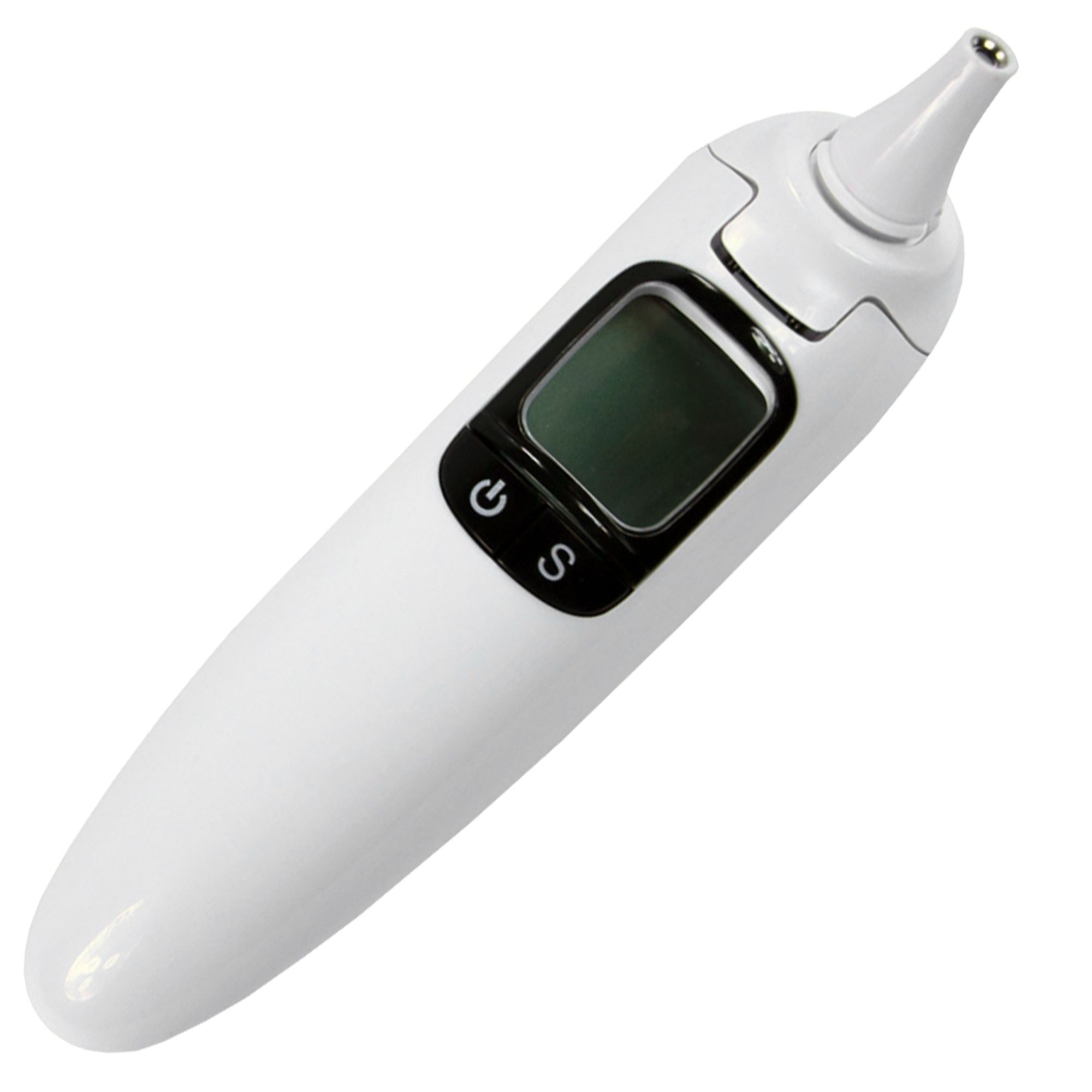
Infrared Digital Ear and Forehead Thermometer, PRIMA
- Tax invoice for every order
- 14-day free return right
- 2-year warranty for individuals, 12 months for companies
Product details
Infrared digital ear thermometer (1 pc)
Features:
- Fast measurement: 2 seconds
- Measuring range: 32.0˚C ~43.0 ˚C (89.6~109.4˚F)
The temperature of the two eardrums may differ slightly. Therefore, test the same ear to compare results.
External factors may affect temperature:
- Lying on one ear or the other
- Exposure to very cold or very hot temperatures.
- Recent swimming or bathing
In these conditions, remain in the testing environment for about 20 minutes or more before taking a measurement.
The ear must be clean, free of wax
Do not touch the probe head. A cotton swab moistened with alcohol may be used to clean the sensor tip.
If the thermometer is stored in another place, significantly different from the testing environment, bring it to the place where testing is done about 30 minutes before use.
Temperature can be read on either the Celsius (˚C) or Fahrenheit (˚F) scale:
1. With the thermometer off, press and hold the bottom button for about 3 seconds until C or F appears on the display
2. Once the desired reading mode appears on the display, release the button and the device can be used.
3. To change the setting, press and hold the bottom button for about 3 seconds until the device turns off. Once it is off, press and hold the bottom button until the desired mode appears on the display.
The memory can be accessed in two ways:
1. After the thermometer has been turned on and the display shows „__,_˚C, press the button at the bottom of the device - the symbol will appear in the upper left corner of the display.
2. After testing, press the button at the bottom of the device and the symbol will appear in the upper left corner of the display.
The thermometer automatically stores the last 10 readings. Each time the bottom button is pressed, past values are displayed, each corresponding to a number from 1-0. Number 1 represents the most recent value, while number 0 indicates the oldest readings in memory.
In memory mode, the arrow sign is displayed continuously. The user can press the top button for a new measurement.
Directions for use:
1. Press the button to turn on the device. The display will light up – wait until it shows „__,_˚C” and an arrow appears at the bottom right. The „Bi----Bi---„ sound will be heard. The thermometer is ready to use. If it is not working properly, „Er1 or Er2” will appear on the display.
2. Place the probe head in the ear canal. The ear canal has a natural curve, so to make sure the thermometer is pointed toward the eardrum, you may need to gently pull the outer ear backward as you insert the thermometer into the ear. Continue inserting the thermometer until the ear canal is completely sealed. Press the test button on the top of the device and hold the thermometer button pressed for 1 second. Remove the thermometer and read the temperature.
3. The thermometer is ready for a new test when the arrow appears on the right of the display and the „Bi----Bi---„ sound is heard again. It is recommended to wait 20 seconds between tests.
4. The thermometer will turn off automatically after about 60 seconds of inactivity. To extend battery life, press and hold the bottom button for about 3 seconds to turn off the device.
Safety Instructions:
Keep out of the reach of children!
Shelf life:
Unlimited
Storage:
In dry, cool places, away from moisture and heat.
T(min-max): 5-40oC
Max humidity: 70%
Specifications
| Brand | Prima |
|---|---|
| Product code | PS-1116-FRH |
Promoted products







We also recommend




Reviews (0 reviews)
There are no reviews for this product yet.
Customer questions and answers
There are no questions for this product yet.
Useful links:
Your browsing history
clear browsing history