
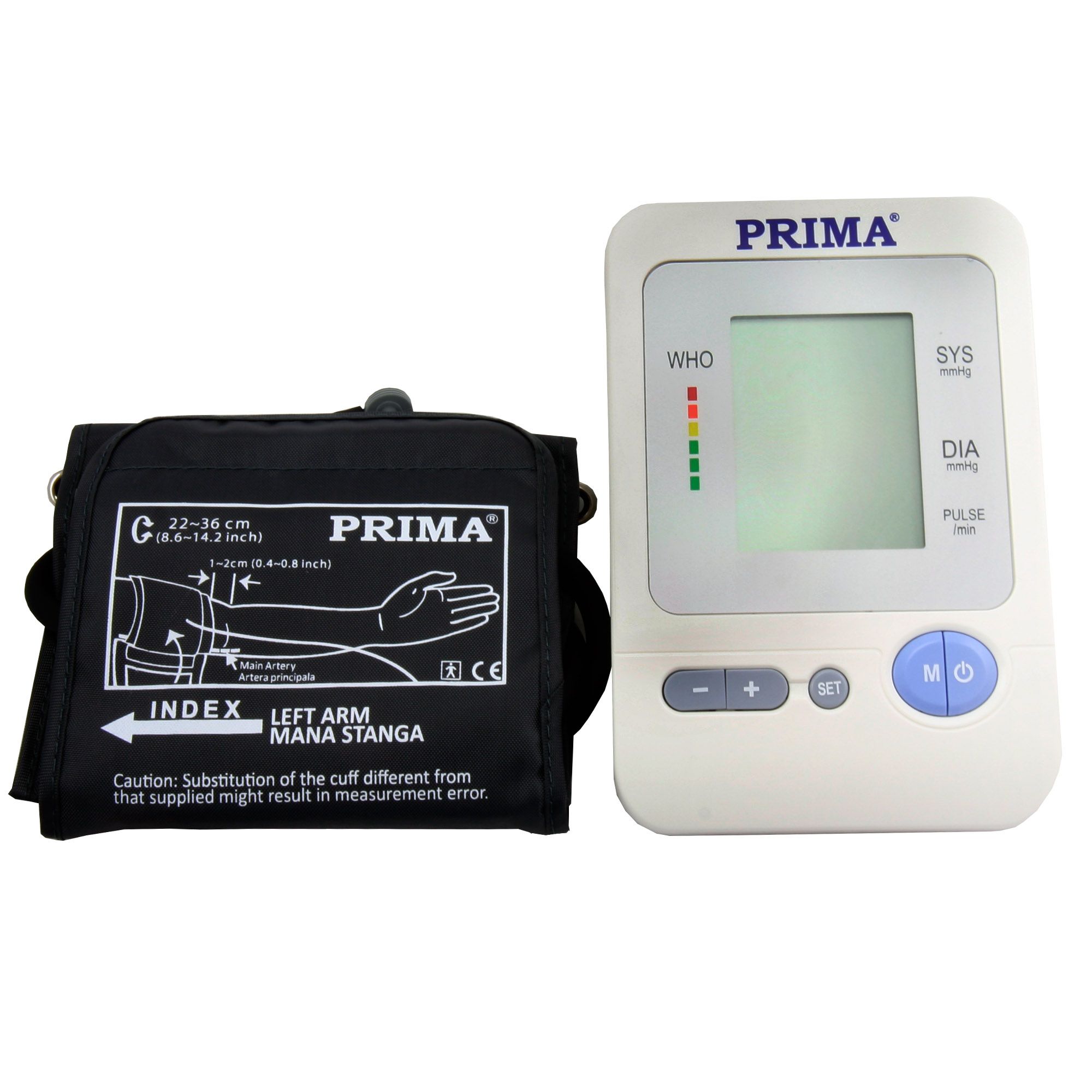
PRIMA Electronic Upper Arm Blood Pressure Monitor
- Tax invoice for every order
- 14-day free return right
- 2-year warranty for individuals, 12 months for companies
Product details
Electronic upper arm blood pressure monitor, battery-powered digital display (1 pc)
Product Sheet
Product Code: PS-0862
Name: Electronic Upper Arm Blood Pressure Monitor
Features:
- Battery-powered digital display
- 120 memories
Medical applications: for measuring systolic and diastolic blood pressure, for human use
Safety instructions: Keep out of the reach of children.
Shelf life: unlimited
Important:
1. Avoid eating, exercising or bathing for 30 minutes before taking your blood pressure
2. Before taking your blood pressure, it is advisable to relax for 5 minutes
3. Body position is very important. Sit relaxed with your back against the back of the chair. Keep your feet flat on the floor. The cuff should be level with your heart.
4. Avoid talking or moving
5. During measurement, avoid strong electromagnetic interference such as microwave ovens or mobile phones
6. Wait 3 minutes or more between two consecutive measurements on the same person.
7. Try to measure your blood pressure at the same time every day.
8. Comparisons should only be made when using the same arm, position and the same time of day
9. This blood pressure monitor is not recommended for people suffering from arrhythmia.
Instructions for use:
1. Remove the battery cover from the bottom of the unit and insert the batteries. Observe the polarity.
2. Attach the cuff to the monitor
3. Roll up your sleeve.
4. Rest for a few minutes before measuring. Sit in a quiet place, preferably at a desk or table, with your arm resting on a firm surface and your feet on the floor.
5. On the inner side of your left arm, locate the brachial artery with your finger (about 2 cm above the elbow). Find the spot where the pulse is strongest.
Memory function
a) Checking the memory: press and hold the “START” button to turn on the device. The screen will show the last stored measurement as value number 1. To view older records in memory, press the START button.
Deleting data: while in the memory menu, press and hold “ON/OFF” for about 3 seconds to delete the history, until “_ _ _” appears on the screen and a sound is heard. Then press “ON/OFF” to turn off the device.
OFF button: the ON/OFF button can be pressed to turn off the device in any mode. The device turns off automatically after 3 minutes if not used.
Low battery indicator: 4 short beeps warn you that the battery is low or that the cuff cannot be inflated for measurement. The low battery symbol appears simultaneously for 5 seconds before shutting down. Replace the batteries during this time
Specifications
| Brand | Prima |
|---|---|
| Product code | PS-0862 |
Promoted products




We also recommend




Reviews (0 reviews)
There are no reviews for this product yet.
Customer questions and answers
There are no questions for this product yet.